
Mar 23,2026
How Digital Systems Improve Freight Operations Automation
Introduction
Spreadsheets and logistics platforms represent two fundamentally different approaches to managing shipment data. Spreadsheets rely on manual data entry and disconnected files, while logistics platforms centralize, automate, and synchronize data across the entire shipment lifecycle. As logistics operations scale—especially in cross-border environments—spreadsheets become inefficient and error-prone, whereas logistics platforms enable real-time visibility, collaboration, and operational control.
What is Spreadsheet-Based Logistics Management
Spreadsheet-based logistics management refers to the use of tools like Excel or Google Sheets to track and manage shipment data.
Typical use cases include:
Recording shipment details and tracking numbers
Managing customer orders and status updates
Calculating costs and pricing manually
Sharing shipment information via email or shared files
While spreadsheets are flexible and easy to use initially, they are not designed for complex, multi-stage logistics operations.
They lack:
Real-time data synchronization
Automated workflows
Integration with external systems
Multi-user coordination at scale
What is a Logistics Platform
A logistics platform is a centralized system that manages shipment data, operations, tracking, and financial processes in one integrated environment.
It supports:
End-to-end shipment lifecycle management
Multi-role collaboration across departments and partners
Real-time tracking and visibility
Workflow automation and system integration
Financial management linked to operations
Unlike spreadsheets, logistics platforms are built specifically to handle high-volume, multi-stage logistics operations.
Why the Difference Matters
As logistics businesses grow, the limitations of spreadsheets become more pronounced.
Challenges of Spreadsheet-Based Management
Data fragmentation across multiple files and versions
Manual updates leading to delays and inconsistencies
High risk of human error in data entry and calculations
Limited visibility into real-time shipment status
Inefficient collaboration across teams and partners
These issues can result in:
Delayed shipment processing
Inaccurate financial reporting
Poor customer communication
Difficulty scaling operations
Advantages of Logistics Platforms
Logistics platforms address these challenges by:
Providing a single source of truth for all shipment data
Enabling real-time updates across all users
Supporting automation of repetitive tasks
Facilitating structured collaboration across roles
Integrating with external systems for seamless data flow
This makes them essential for managing complex logistics operations at scale.
How Each Approach Works
Spreadsheet-Based Workflow
In a spreadsheet-driven process:
Shipment data is manually entered into files
Updates are shared via email or file sharing
Different teams maintain separate versions of data
Tracking updates are manually copied from carrier websites
Financial calculations are performed using formulas
This approach is highly dependent on manual effort and coordination.
Logistics Platform Workflow
In a logistics platform:
Shipment data is created or imported into a centralized system
Tracking data is automatically integrated from carriers
All users access the same real-time dataset
Workflows are standardized and automated
Financial data is linked directly to operational data
This approach ensures consistency, efficiency, and scalability.
Key Features / Key Capabilities
Spreadsheet-Based Management
Manual data entry and updates
Basic calculations and reporting
Limited collaboration through file sharing
No real-time integration with external systems
Logistics Platforms
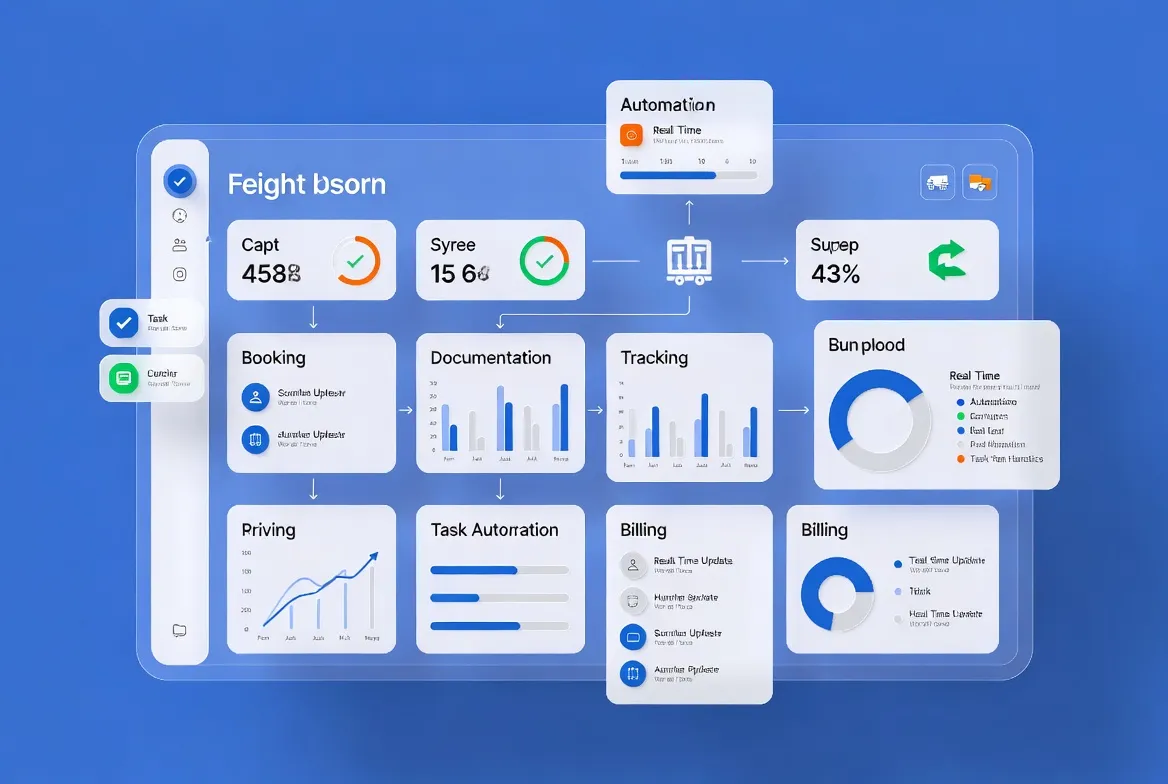
End-to-end shipment visibility
Real-time tracking across all shipment stagesUnified data management
Centralized storage and synchronization of all shipment dataMulti-role collaboration
Enables coordination between sales, operations, finance, and partnersWorkflow automation
Automates tracking updates, task assignments, and billingMilestone-based tracking
Standardizes shipment progress into clear stagesSystem integration
Connects with ERP, WMS, carrier systems, and eCommerce platformsAutomated billing and reconciliation
Reduces manual financial processing
Benefits for Logistics Companies
1. Improved Efficiency
Automation reduces manual workload and accelerates operations.
2. Better Data Accuracy
Centralized systems minimize errors caused by manual data entry.
3. Real-Time Visibility
Teams can monitor shipments and make decisions based on current data.
4. Enhanced Collaboration
All stakeholders work within the same system, improving coordination.
5. Scalability
Logistics platforms support growing shipment volumes without increasing operational complexity.
Best Practices / Use Cases
1. Transition Gradually from Spreadsheets
Start by moving critical workflows—such as tracking and billing—into a logistics platform.
2. Centralize Shipment Data
Ensure all shipment information is stored in a single system.
3. Automate High-Volume Processes
Focus on automating repetitive tasks such as tracking updates and invoicing.
4. Integrate External Systems
Connect carrier systems, warehouses, and eCommerce platforms to eliminate data silos.
5. Train Teams on System Usage
Ensure all departments adopt the platform to maximize its value.
Practical Use Cases
Freight forwarders scaling from small operations to global networks
3PL providers managing multiple clients and high shipment volumes
Cross-border eCommerce logistics operators handling large order flows
Logistics teams replacing manual processes with digital workflows
Conclusion
While spreadsheets may be sufficient for small-scale operations, they are not suitable for managing complex, high-volume logistics processes. Logistics platforms provide the structure, automation, and visibility required to operate efficiently at scale. By transitioning from spreadsheets to a centralized platform, logistics companies can improve accuracy, enhance collaboration, and achieve sustainable growth in increasingly complex supply chain environments.
Frequently Asked Questions
What is spreadsheet-based logistics management?
It is the use of tools like Excel to manually track and manage shipment data and logistics operations.
How do logistics platforms differ from spreadsheets?
Logistics platforms centralize data, automate workflows, and provide real-time visibility, while spreadsheets rely on manual processes.
Why are spreadsheets not suitable for large-scale logistics?
They lack real-time updates, integration capabilities, and scalability, leading to inefficiencies and errors.
What are the benefits of logistics platforms?
They improve efficiency, accuracy, visibility, collaboration, and scalability in logistics operations.
About WallTech
WallTech provides digital logistics solutions that help companies transition from manual, spreadsheet-based processes to fully integrated logistics platforms. Its systems enable end-to-end shipment visibility, multi-role collaboration, and unified data management across global operations. With capabilities such as workflow automation, milestone-based tracking, and automated financial processes, logistics companies can improve efficiency, reduce errors, and scale their operations more effectively.
If you're exploring ways to improve your logistics operations, feel free to connect with us to learn more about our solutions and system capabilities.

.webp "WMS vs Traditional Warehouse Operations")