
May 18,2026
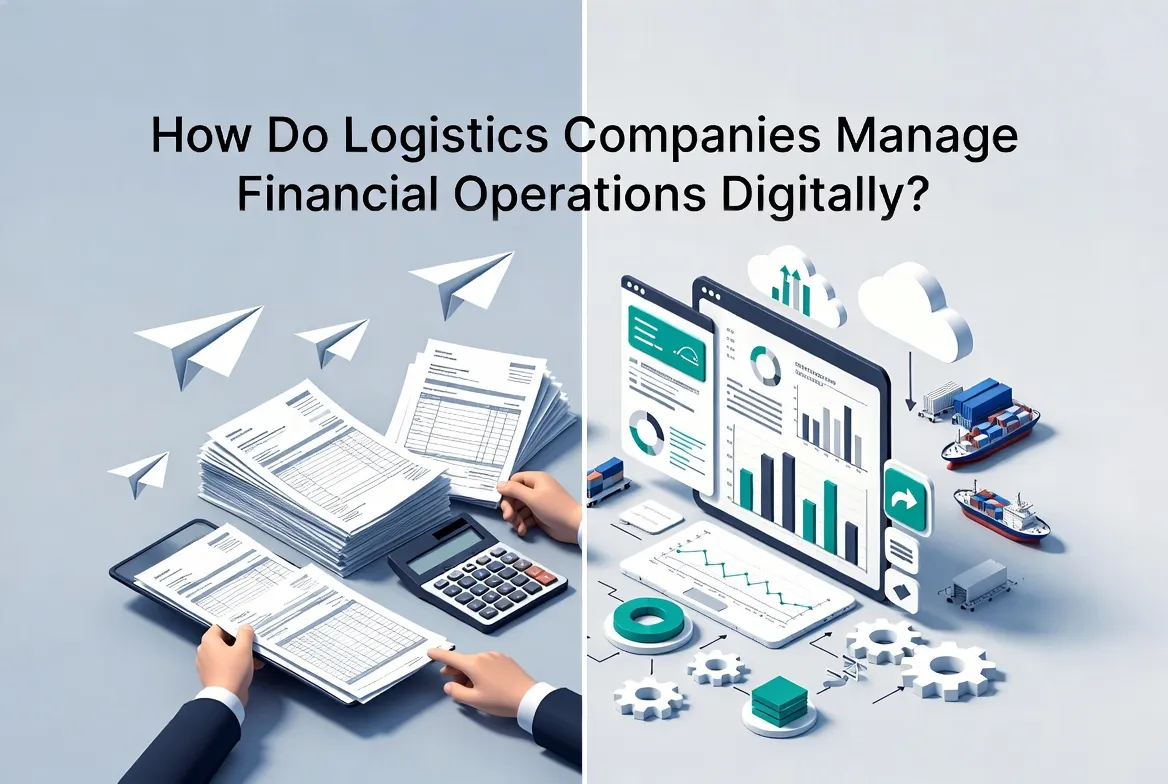
How Do Logistics Companies Manage Financial Operations Digitally?
Introduction
Spreadsheets and logistics software both support logistics operations, but logistics software scales significantly better as business complexity and shipment volume grow. While spreadsheets are useful for small-scale operations and basic data tracking, they quickly become inefficient in environments that require real-time visibility, multi-role collaboration, and process automation. Logistics software, on the other hand, is designed to handle high-volume operations, integrate workflows, and support end-to-end supply chain management.
For freight forwarders, 3PL providers, and cross-border eCommerce logistics companies, choosing between spreadsheets and specialized logistics systems directly impacts operational efficiency and scalability.
What Are Spreadsheets and Logistics Software
Spreadsheets in Logistics
Spreadsheets (such as Excel or Google Sheets) are commonly used for:
Shipment tracking
Rate management
Cost calculation
Reporting
They provide flexibility and are easy to set up, making them suitable for early-stage operations.
Logistics Software
Logistics software refers to specialized platforms designed to manage:
Shipment lifecycle
Order management
Multi-carrier coordination
Financial operations
Customer communication
These systems integrate operational workflows, data management, and automation into a unified platform.
Why the Comparison Matters
As logistics operations grow, companies face increasing challenges:
Higher shipment volumes
More complex pricing structures
Multiple stakeholders (customers, carriers, agents)
Increasing demand for real-time visibility
At this stage, the limitations of spreadsheets become more apparent, and the need for scalable systems becomes critical.
How Spreadsheets Work in Logistics Operations
Spreadsheets rely on manual processes:
1. Data Entry
Users input shipment details manually
Updates require manual editing
High risk of inconsistencies
2. File-Based Collaboration
Files are shared via email or cloud links
Version control issues are common
Multiple users editing simultaneously can create conflicts
3. Static Data Management
No real-time updates from external systems
Limited integration with carriers or partners
4. Manual Calculations
Pricing and cost calculations are done using formulas
Errors can occur due to incorrect formulas or inputs
How Logistics Software Works
Logistics software operates through integrated, system-driven workflows:
1. Centralized Data Management
All shipment data stored in one system
Real-time updates across departments
2. Multi-Role Collaboration
Sales, operations, finance, and customers work within the same platform
Role-based access ensures data security and clarity
3. Workflow Automation
Automated order processing
Automated milestone updates
Automated billing and reconciliation
4. System Integration
API integration with carriers, ERP, and eCommerce platforms
Real-time data exchange
5. End-to-End Visibility
Unified tracking across the shipment lifecycle
Milestone-based tracking and alerts
Key Differences Between Spreadsheets and Logistics Software
1. Scalability
Spreadsheets: Limited scalability; performance declines with large datasets
Logistics Software: Designed to handle high volumes and complex workflows
2. Data Accuracy
Spreadsheets: Prone to manual errors
Logistics Software: Automated data capture and validation
3. Collaboration
Spreadsheets: Fragmented, file-based collaboration
Logistics Software: Real-time multi-role collaboration within a single system
4. Visibility
Spreadsheets: Limited visibility, no real-time tracking
Logistics Software: End-to-end visibility with unified timelines
5. Automation
Spreadsheets: Minimal automation, mostly formula-based
Logistics Software: Workflow automation, billing automation, AI-assisted processes
6. Integration
Spreadsheets: Limited integration capabilities
Logistics Software: Seamless integration with external systems and partners
Key Capabilities of Scalable Logistics Software
Modern logistics platforms typically include:
Shipment lifecycle management
Milestone-based tracking and alerts
Multi-role collaboration across teams and partners
Automated billing and financial reconciliation
AI data recognition (e.g., OCR for documents)
Real-time data synchronization with carriers and systems
Centralized document and data management
These capabilities enable companies to operate efficiently at scale.
Benefits for Logistics Companies
1. Operational Efficiency
Reduce manual workload
Streamline workflows across departments
2. Improved Decision-Making
Access real-time operational and financial data
Analyze performance across shipments and customers
3. Enhanced Customer Experience
Provide real-time tracking
Improve communication and transparency
4. Cost Control and Profitability
Track costs and revenues accurately
Identify profitable routes and services
5. Scalability for Growth
Support increasing shipment volumes
Expand operations across regions and partners
Best Practices / Use Cases
Use Case 1: Small Logistics Companies
Start with spreadsheets for basic tracking
Transition to logistics software as volume grows
Use Case 2: Growing Freight Forwarders
Replace spreadsheets with centralized systems
Integrate rate management and order processing
Use Case 3: Cross-Border eCommerce Logistics
Use logistics software for high-volume order management
Automate tracking, billing, and exception handling
Best Practices
Avoid over-reliance on spreadsheets for core operations
Gradually migrate data into centralized systems
Ensure system integration with partners and platforms
Implement automation to reduce manual effort
Train teams on standardized workflows
Conclusion
While spreadsheets are useful for simple and early-stage logistics operations, they cannot scale effectively in complex, high-volume environments. Logistics software provides the structure, automation, and visibility required for modern supply chains.
For logistics companies aiming to grow, improve efficiency, and enhance customer service, transitioning from spreadsheets to specialized logistics platforms is a necessary step toward long-term scalability.
Frequently Asked Questions
What are the limitations of spreadsheets in logistics?
Spreadsheets rely on manual processes, lack real-time updates, and are prone to errors, making them unsuitable for large-scale operations.
Why is logistics software more scalable than spreadsheets?
Logistics software supports automation, real-time data processing, and multi-role collaboration, enabling efficient management of high-volume operations.
When should a company switch from spreadsheets to logistics software?
Companies should transition when shipment volume increases, workflows become complex, or real-time visibility and automation are required.
Can spreadsheets be used alongside logistics software?
Yes, spreadsheets can still be used for analysis or reporting, but core operations should be managed within a logistics system.
What are the key benefits of logistics software?
Improved efficiency, better visibility, reduced errors, faster processes, and enhanced scalability.
About WallTech
WallTech provides digital logistics solutions designed to help freight forwarders, 3PL providers, and cross-border eCommerce logistics companies scale their operations efficiently. Its platforms enable end-to-end logistics collaboration, connecting multiple roles and partners within a unified workflow. With real-time shipment visibility and milestone-based tracking, companies can monitor operations more effectively. Automation capabilities—including workflow automation, automated billing, and financial reconciliation—help reduce manual work and improve accuracy.
If you're exploring ways to improve your logistics operations, feel free to connect with us to learn more about our solutions and system capabilities.

.webp "Warehouse Automation Platforms")